
 CELLA
CELLAThe WMS that runs your entire warehouse
From receiving to shipping, CELLA orchestrates your warehouse on a modern web platform: scan-guided operators, yard and visitor management, a built-in AI assistant, and three dedicated environments — production, pre-production and staging — secure and isolated, for every client.
CELLA covers every link, from the dock to the departing truck.
A module for every warehouse job
Over 80 screens covering every step of your warehouse’s life, adjustable to your processes through simple configuration — no development needed.
Receiving
Purchase orders, goods-in and inbound units. Scan-guided receiving, control vs order, lots/serials/expiry, and returns handling.
Stock management
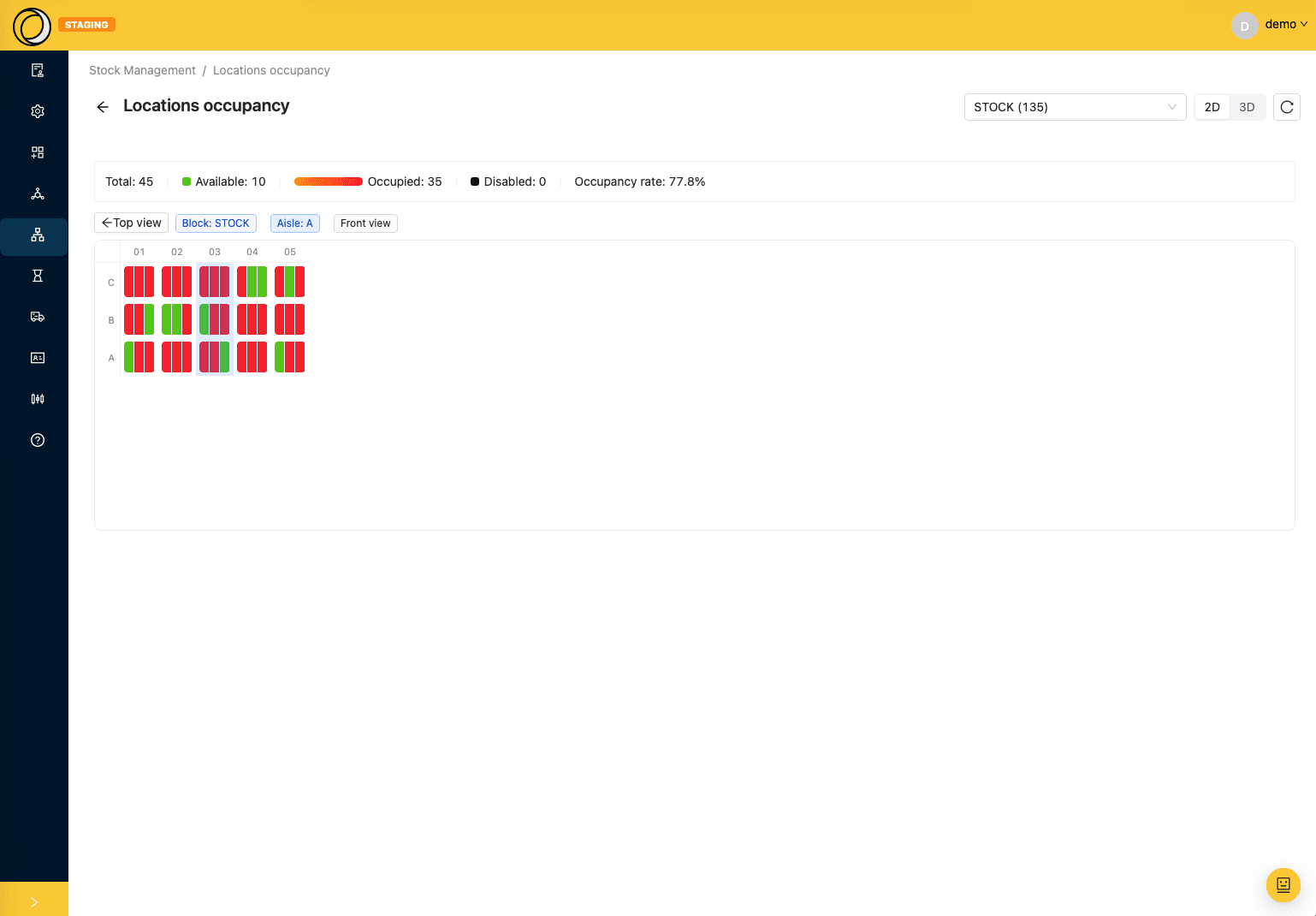
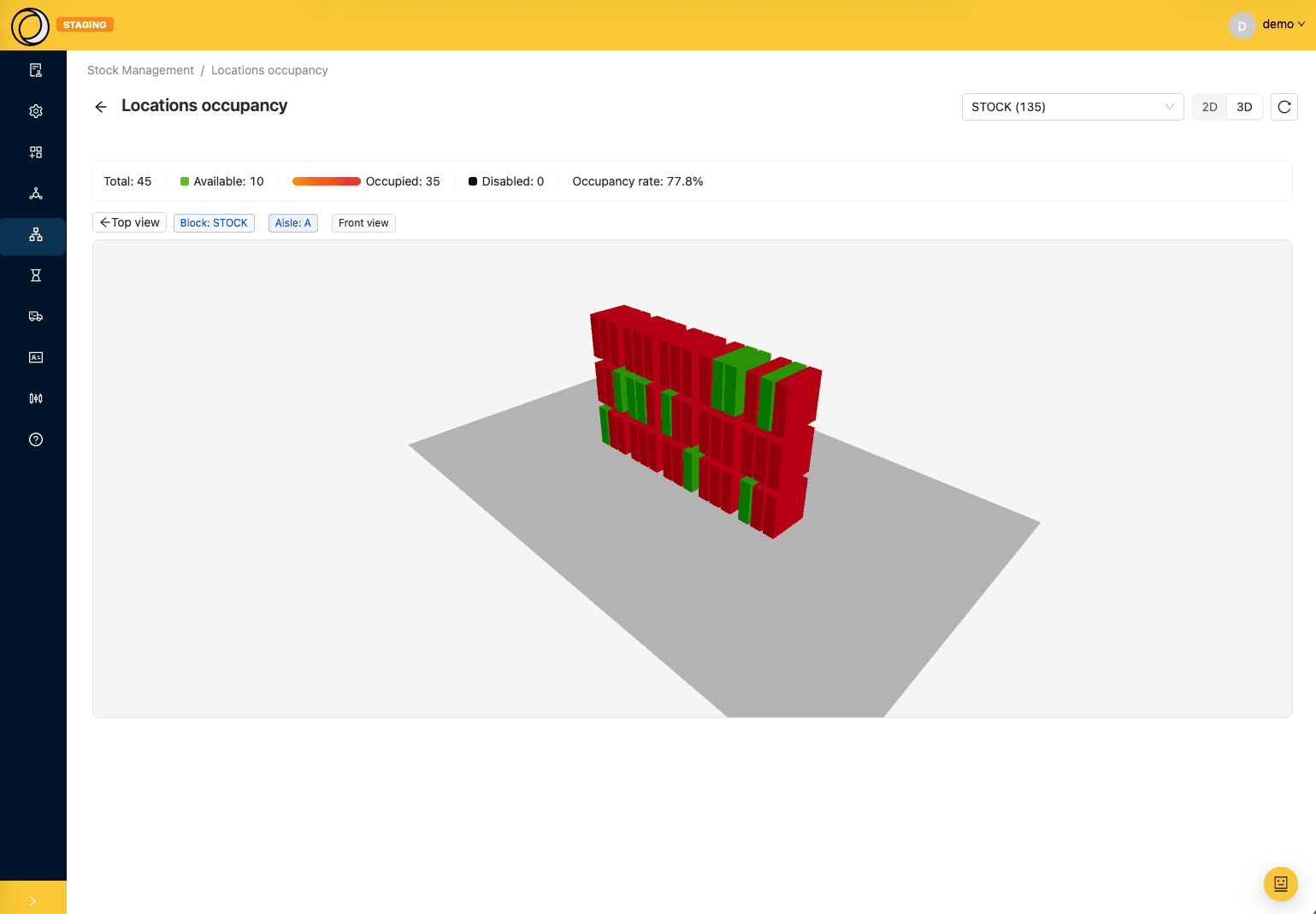
Articles, families, kits, locations, tracked movements, cumulative stock. Cycle counts and a 2D location occupancy view.
Picking & rounds
Customer orders, optimised picking rounds, calculation profiles and advised addresses to cut travel distance.
Packing
Outbound handling units, parcel control, automatic labelling and fine-grained progress tracking.
Palletising & packing optimisation
The packing engine automatically computes the best fill across your cartons and pallets by volume, weight and priorities: fewer parcels, better fill.
Shipping & loads
Deliveries, truck loads, carriers and shipping modes, dock appointments and customs references (MRN).
Handling units
Model pallets, cartons and bins as real physical objects: tracked, moved, split and traced end to end.
Documents & labels
PDF delivery notes, ZPL labels, barcodes and QR codes. Multi-document generation, history and email delivery.
Security & traceability
Field-level history and status history. Configurable password policy, screen-by-screen permissions, and custom permissions that filter data row by row: a carrier only ever sees their own appointments.
The yard and your visitors, in the same system
From the slot a carrier books to the moment the truck leaves — and the same engine for everyone who visits the site.
Trucks
The dock booked, the driver registered, the truck tracked all the way out.
- Configurable docks: inbound, outbound or both, authorised carriers, opening hours day by day.
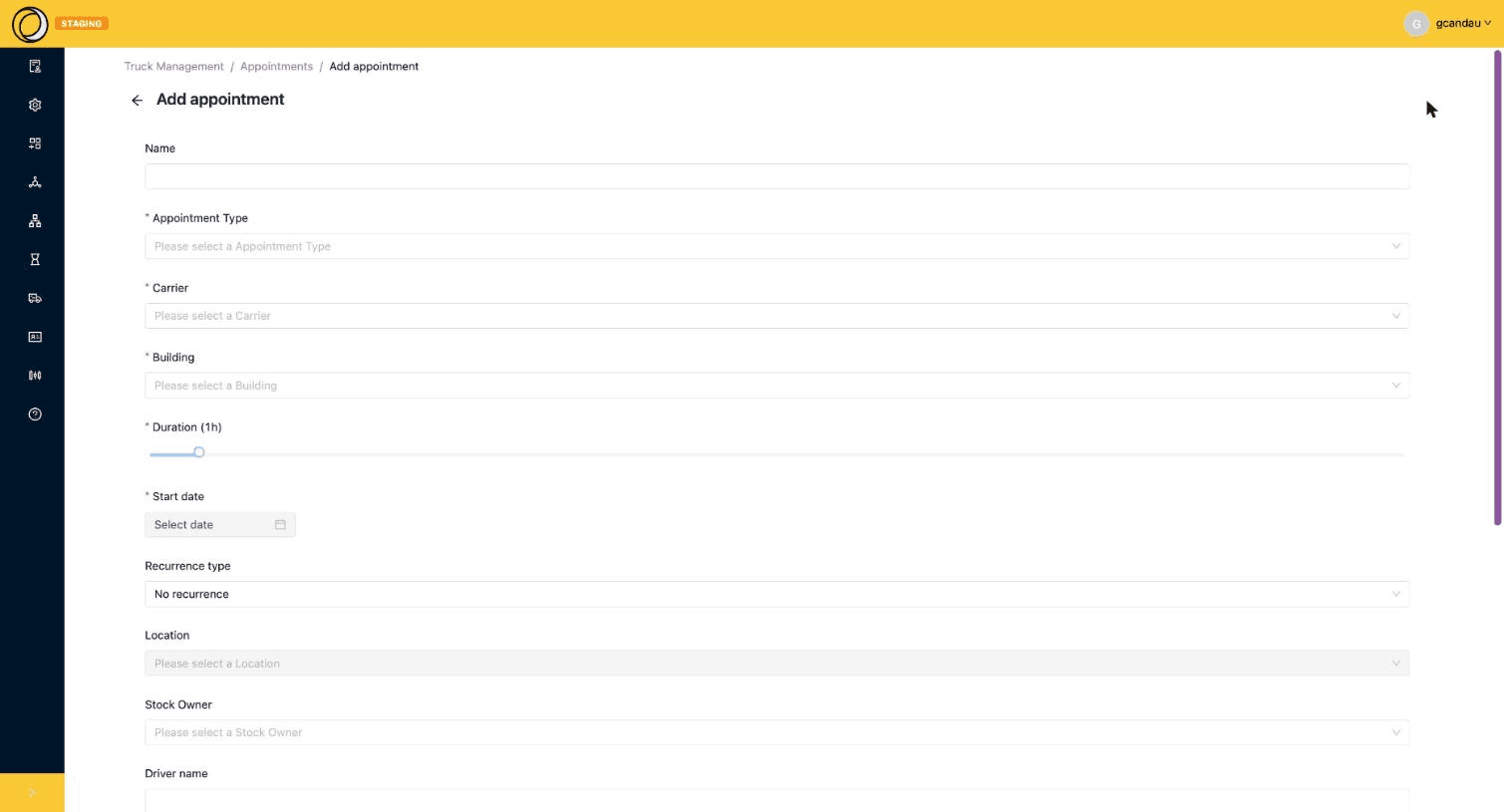
- A booking form that only offers the docks genuinely available for the requested slot.
- Deliveries, customer orders and purchase orders attached to the appointment — no double entry.
- The truck composition announced ahead of arrival: pallet types, quantities and loading instructions.
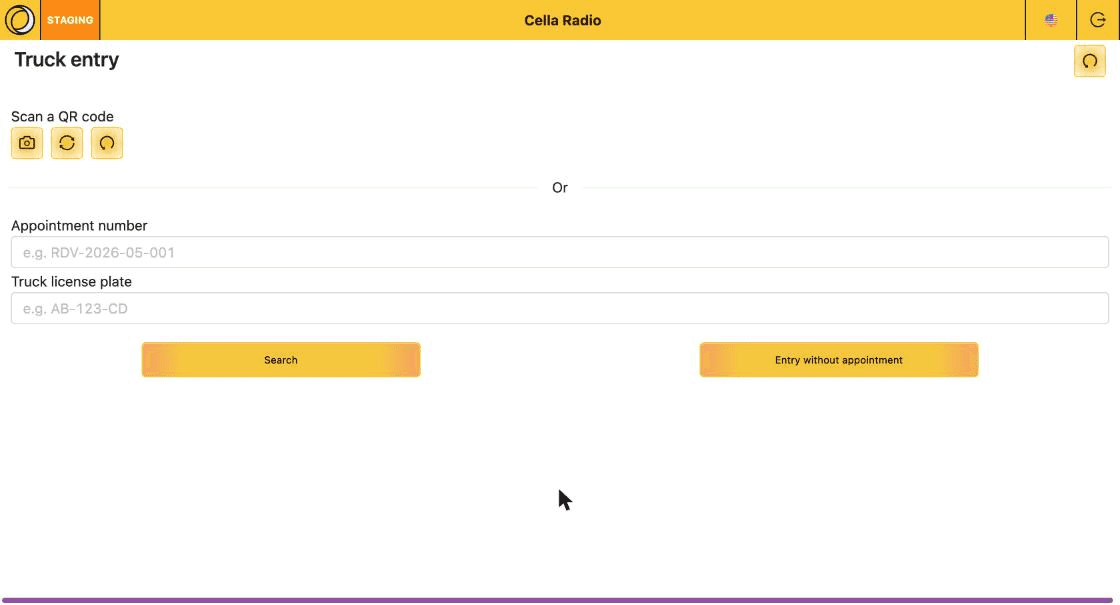
- Self-service gate entry on a tablet: QR code or plate, the safety protocol in the driver’s own language, accepted then signed.
- Security grants or refuses access from their own screen, and can assign the dock at the last minute.
- Transport documents generated from CELLA: dangerous goods, CMR, loading list.
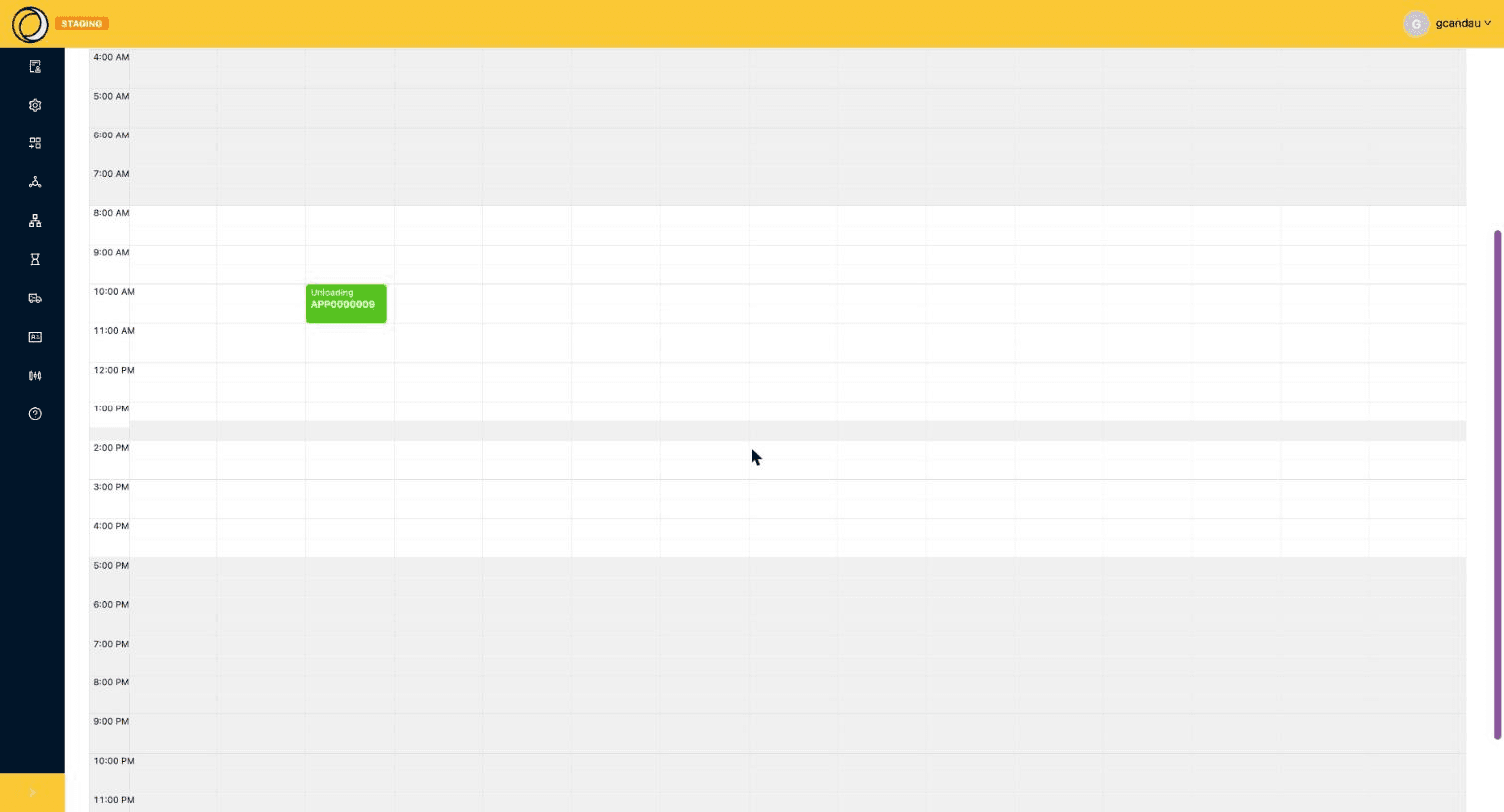
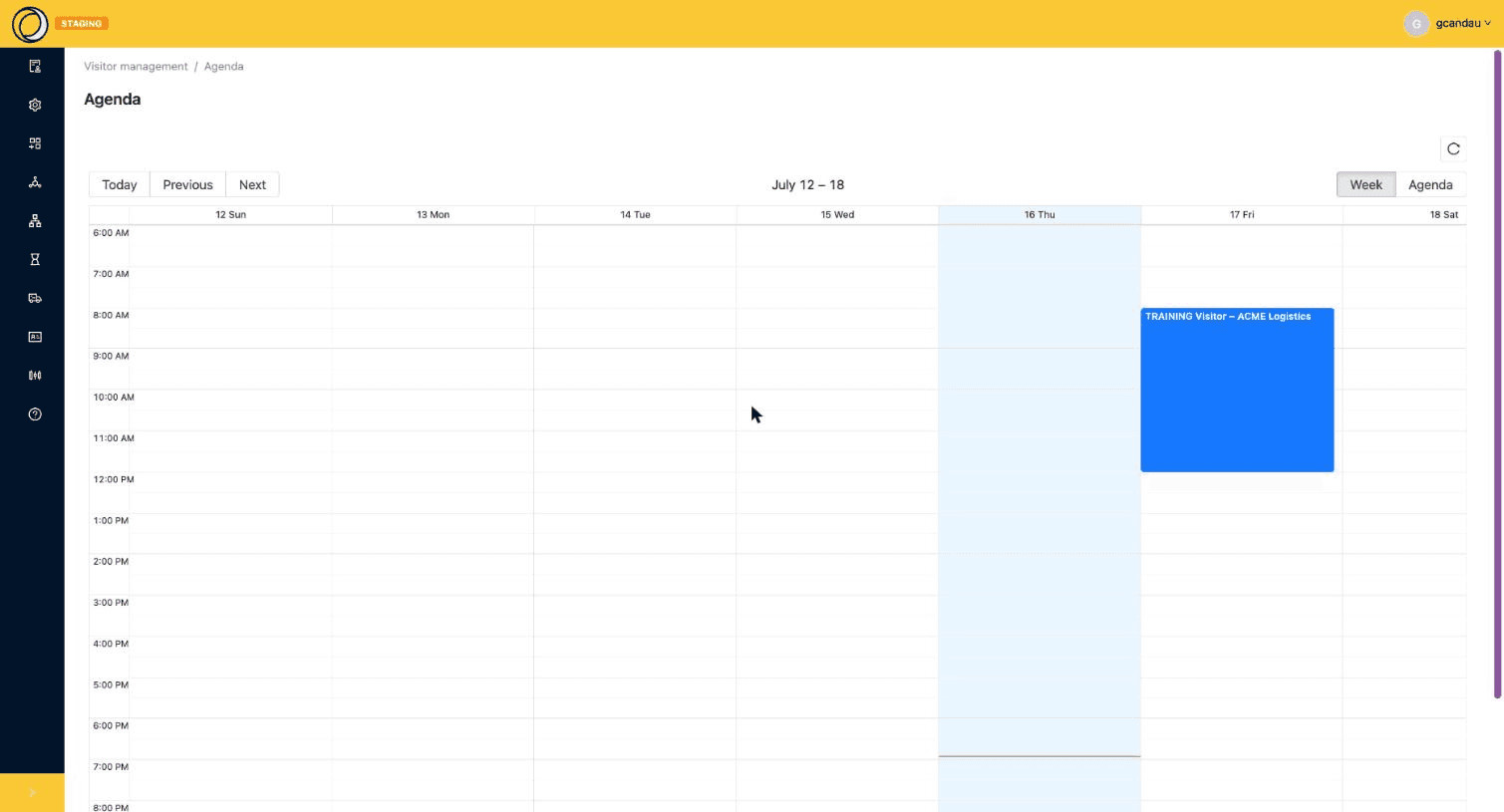
- A dock schedule in day or week view, where a slot is drawn with the mouse — and no-shows are handled in one click.
- A carrier portal: the same application with restricted rights, where each carrier only sees their own appointments.
Visitors
The same appointment engine, with visit-specific screens and wording.
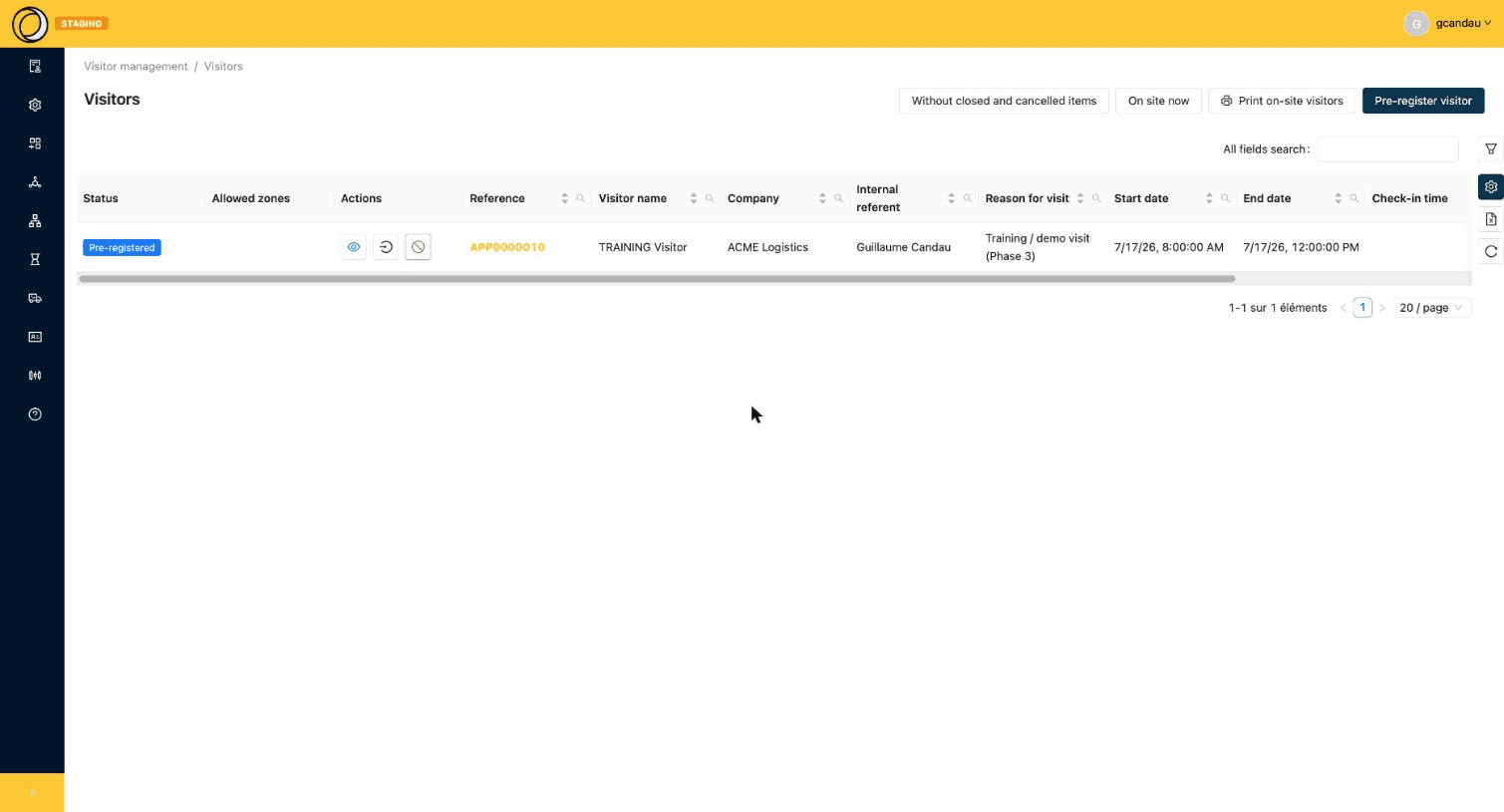
- Pre-registration by your teams: internal host, reason, allowed zones, escort.
- Three automatic emails: instructions to the visitor, a calendar invite to the host, a reminder before the visit.
- Safety instructions per zone and per language, to read, accept and sign before entering.
- Tablet check-in, with or without an appointment: an unannounced visitor registers themselves in a few fields.
- Security validation, then one-gesture check-out — the exit time is stamped automatically.
- The list of people currently on site, and the fire-evacuation list printable in one click.
- A weekly visit schedule, in the same calendar as the trucks.
Scan-driven flows, built for the floor
The mobile app breaks each flow into ordered, unambiguous steps, with checks at every scan and a real-time summary header.
Receiving, put-away, replenishment, picking, packing, palletising, loading, transfers, counts, truck entry, visitor check-in… every flow moves forward one step at a time, with no way to get lost.
Default location, scan order, quantities: the flow adapts to your rules.
Native barcode reading, secure local storage, quick lookup mode (article, HU, location, parcel).
- 1Scan the order / goods-in note
- 2Select the Goods-In
- 3Scan the handling unit
- 4Scan and select the article
- 5Enter lot / serial / date
- 6Choose stock status & quantity
- 7Scan the destination location
- 8Confirm and attach the HU
Step 1/8 — Scan the order / goods-in note
CELLA in action
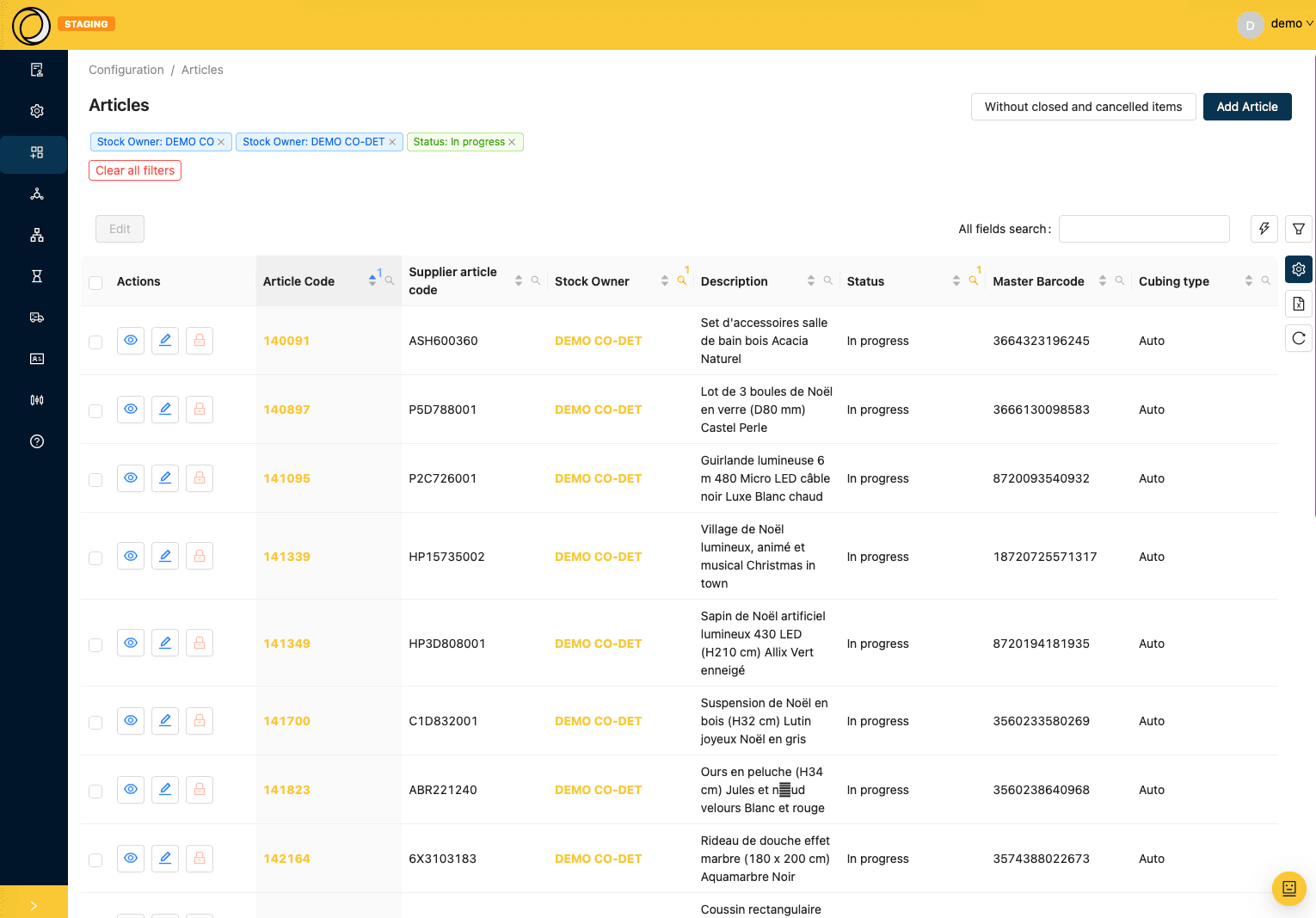
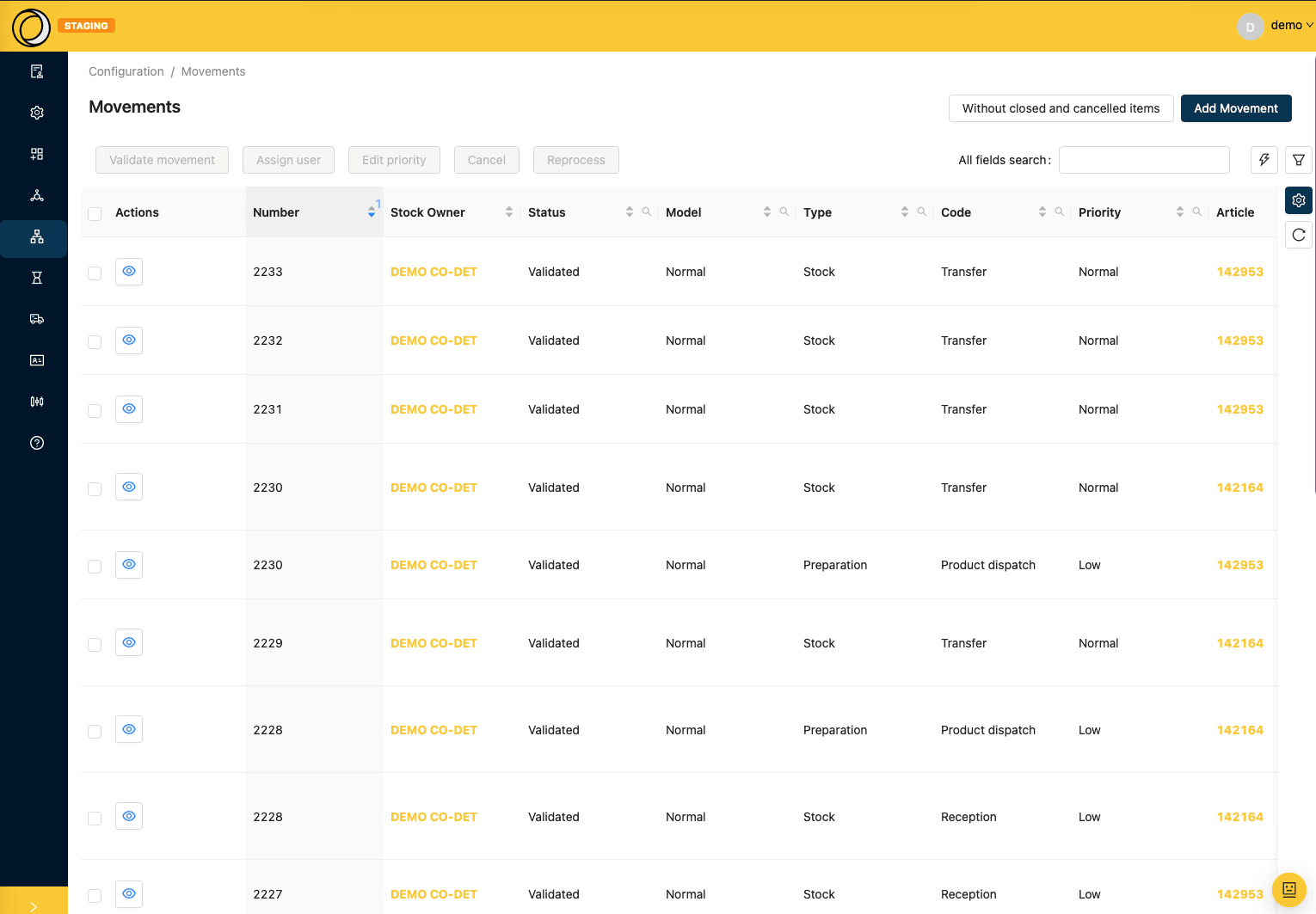
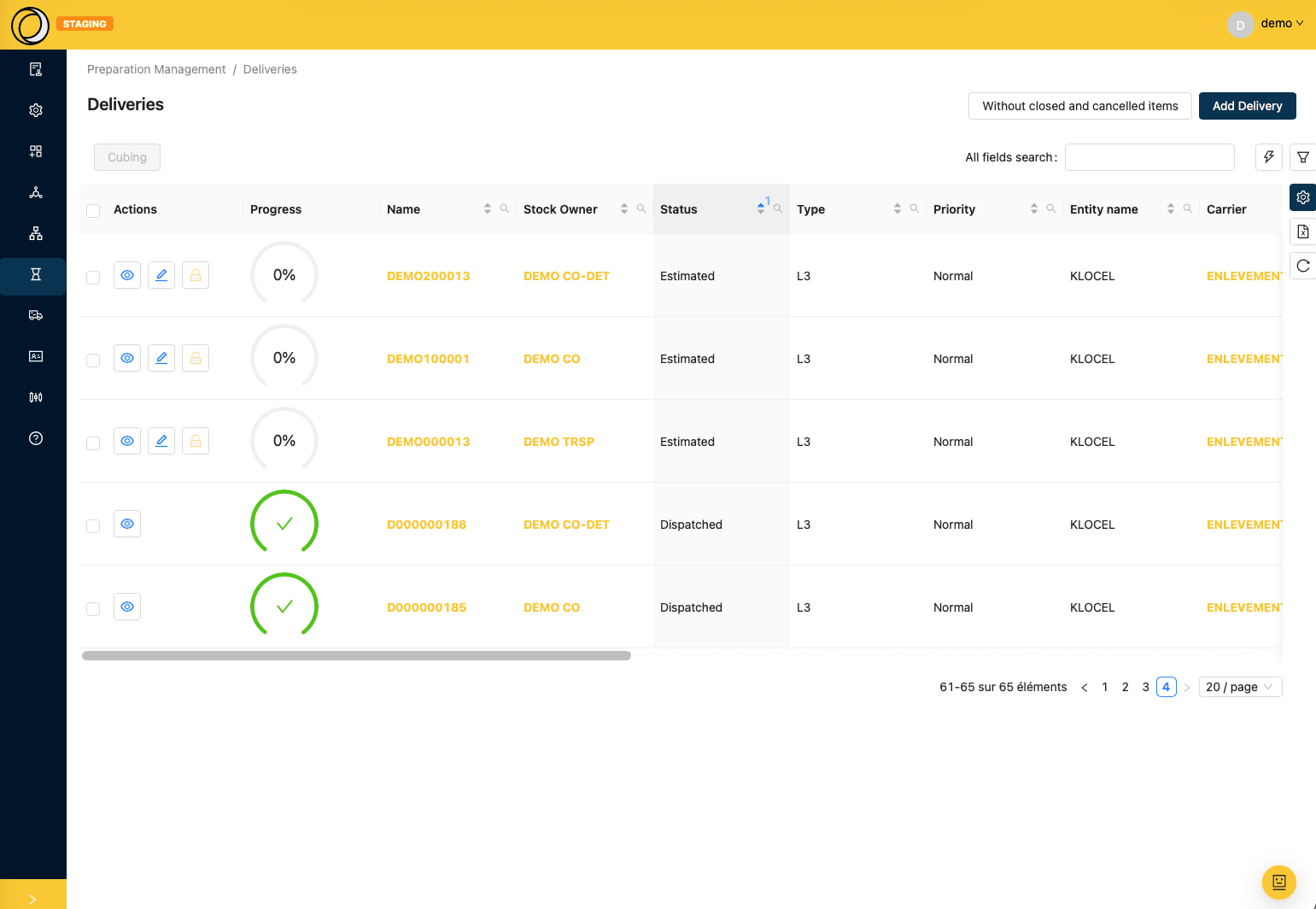
A clear, data-dense back office designed for speed.
A logistics copilot that respects your permissions
CellaBot opens from any screen and knows which one you are on. It answers from your real data, shows exactly what it did to answer, and never has access to more than you do.
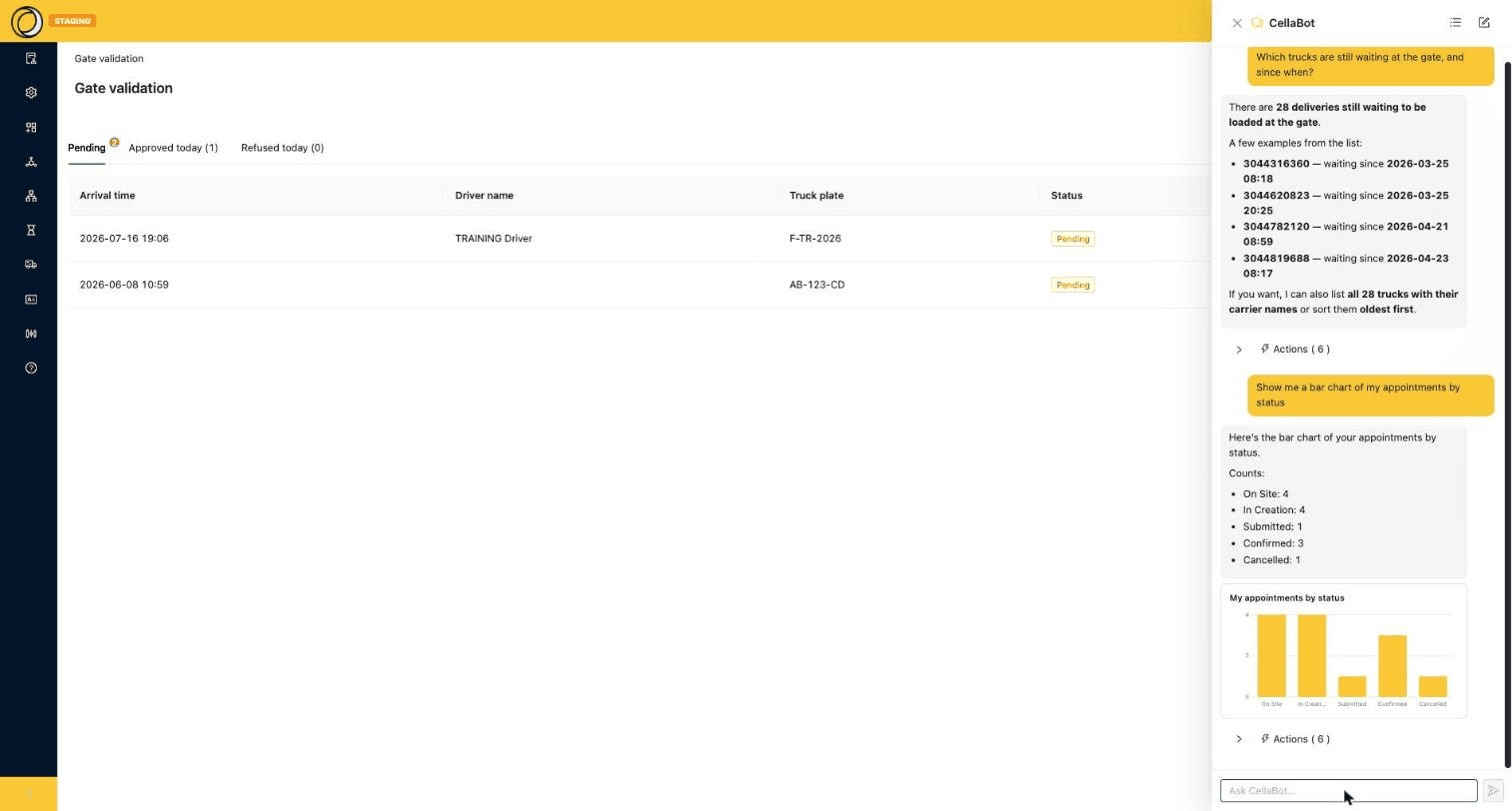
CellaBot answers from live data, and shows the queries it ran
Ask a question, get an answer
In plain English, like you would ask a colleague: “Which trucks are still waiting at the gate, and since when?” You get the figure, examples, the full list if you ask for it, and clickable links to the records.
Charts on request
“Show me a bar chart of my appointments by status.” CellaBot counts, then draws — inside the conversation, without going through a reporting tool.
Complete transparency
Every query it actually ran is one click away under “Actions”: what it inspected, what it queried, what it computed. No black box.
The magic filter
On any list, describe the rows you want — “urgent deliveries still in Estimated status”. The AI turns it into visible advanced filters you can adjust or remove one by one.
Create an alert in one sentence
“Notify me by email after any article change.” CellaBot creates the notification — watched object, instruction, email output — and you then find and edit it like any other CELLA notification.
Schedule a recurring report
“Send me every morning at 8:00 the number of deliveries in Estimated status.” The schedule is created for you: no code, no template to write, and it stays editable.
Your business rules, not just CELLA
CellaBot can be loaded with your own site context: your instructions, your business rules, your regulatory constraints — dangerous goods handling, for instance.
You choose your AI
OpenAI, Anthropic, Google, Azure… CELLA works with the main AI providers and can talk to your existing assistants.
- “How many appointments are confirmed for tomorrow, and on which docks?”
- “List today’s visitors still on site.”
- “How much stock on SKU ART-10293? Generate the delivery note for order CMD-4471.”
Your permissions apply to the AI too
CellaBot only answers about the data the user is allowed to see: screen permissions and row-level custom permissions apply to it exactly as they do to the rest of the application. Three safeguards frame the feature.
A role to access it
Without the dedicated role, neither the conversation bubble nor the magic filter appears. A carrier, for example, never sees them.
Everyone owns their automations
A user can be restricted to their own alerts and schedules: they neither read nor modify anyone else’s.
Email sending is bounded
By default an automation may only write to the company’s own domain. Going beyond that requires an explicit authorisation.
Your AI, plugged into your warehouse
CellaBot lives inside CELLA. MCP does the opposite: it opens your WMS to the AI you already use — Claude, ChatGPT, Copilot, or the agent your IT team built. An open standard, a sign-in with your own account, and your permissions applying exactly as they do on screen.
Claude, ChatGPT, Copilot, or the agent your IT team built.
An open standard, exposed by the WMS itself. No plugin, no gateway to host.
Your stock, your orders, your documents and your business routines — with your permissions.
Connected in two minutes: your assistant asks for the server address, you sign in with your usual CELLA account. No development, no technical key to pass around.
Until now, making a business system talk to an AI meant a project: specify it, build a connector, maintain it through every release. MCP (Model Context Protocol) is the standard that removes that step — one socket, recognised by the major assistants on the market.
CELLA does not plug into it: CELLA is one. The WMS exposes its own MCP door and introduces itself to whichever assistant connects — its entities, its statuses, its documents, its routines, down to the custom fields and vocabulary specific to your site. The agent has nothing to learn from you: it asks the system.
The result: the AI of your choice becomes one more interface onto your warehouse, alongside the web screens and the RF terminal — with no integration project, and no lock-in to an AI vendor.
What an external assistant can do on CELLA
Question your operations
Stock, orders, receipts, shipments, locations: everything visible in CELLA can be asked for in plain language, with the figures to back it.
Act, when you allow it
Create, correct, update a record. Writing is set warehouse by warehouse: open, restricted to a list of operations, or closed entirely.
Run your business routines
Picking-round calculation, cubing, closing: your warehouse’s functions fire from the conversation, with the same controls as from the screen.
Produce your documents
Delivery note, carrier label, export: the document is produced by CELLA and comes back as an attachment in the conversation.
Import and export
Loading a supplier file, extracting a slice of data: bulk exchanges go through the same door, with no script to write.
Understand your model
The assistant asks the WMS which fields exist and what your statuses mean. Your custom fields and in-house vocabulary are understood from the very first question.
Answer “how do we do this?”
The CELLA documentation is exposed alongside the data: the agent explains a procedure as readily as it produces a number.
Ready-made reviews
Three analyses shipped out of the box: end-of-day shipping check, stock discrepancy investigation, reception backlog status.
What it looks like day to day
MCP does not replace the WMS: it brings it to where your teams already work.
The WMS inside your office suite
“This customer is asking about their order — answer them.”
Your office assistant reads the email, queries CELLA and drafts the reply with the real dispatch date and tracking number. Customer service stops shuttling between three applications.
Analysis without an IT ticket
“Give me this month’s shipments by carrier, as a table.”
The data leaves the warehouse for the tool where it will be used — spreadsheet, presentation, dashboard — with no manual export and no development request.
Monitoring that never sleeps
Every evening at 6pm: “What is left to ship before the carrier pickup?”
An agent runs your recurring reviews and only comes back to you when there is something to act on. The end-of-day check no longer depends on a supervisor being available.
Cross-application orchestration
“Compare the ERP order with what was actually picked.”
In a single conversation the agent cross-references CELLA, your ERP, your TMS and your mailbox. The WMS stops being an island: it becomes one of the tools your AI knows how to operate.
Opening up without losing control
A door onto the WMS is only worth having if it is locked as seriously as the front door. CELLA’s MCP adds no parallel access path: it goes through exactly the same controls as the application.
Everyone signs in as themselves
The user authenticates with their own CELLA account, through the web’s standard sign-in flow. No technical key to distribute, no service account shared across teams.
The same rights as on screen
An external agent sees nothing more than the person using it — down to stock-owner segregation. What is invisible in the application is invisible in the conversation.
Closed by default
AI access is a permission in its own right, granted role by role. Until it is granted, the server refuses the connection, even to a perfectly valid account.
You set the perimeter
Each warehouse decides whether external agents may write, and what exactly. A read-only agent is a setting, not a development.
Why this matters
A WMS ready for agents
CELLA’s interface is produced from its data model: every product release is immediately usable by an AI, with no extra exposure work.
Open standard, zero lock-in
MCP is public and adopted by the leading AI vendors. You change assistant without changing WMS — and you are not betting your warehouse on one supplier.
One layer, two surfaces
CellaBot on the inside and external agents share the same tool engine and the same safeguards. One component to secure, audit and evolve.
Composable, extensible, open
CELLA is not frozen software: it’s a platform where you assemble and deploy business modules.
Integrator Center & Store
Build Documents, Widgets, Functions, Flows, Dictionary and UI, then deploy — and sell — your modules.
Custom fields & tables
Add your own fields and tables, warehouse by warehouse, without waiting for a product release.
Automations
Trigger automatic actions — documents, status changes, alerts — as your operations unfold.
Connected to your ecosystem
ERP, e-commerce sites, carriers: every piece of CELLA data can be exchanged with your other systems (100% API).
Multilingual
Interface available in English, French, German and Spanish — everyone works in their own language, drivers and visitors on the tablet included.
Real-time
Printouts and updates delivered instantly to the right workstations and printers.
Modern, cloud-native technology
For your technical teams: a modern, open and proven foundation.
- Next.js & React
- TypeScript
- Python
- GraphQL API
- AWS, serverless
- Versioned infrastructure
- Open-source frontend
- Multi-provider AI
What CELLA changes for you
See CELLA on your own flows
A personalised demo, with your use cases, on the staging environment.